
How much does manual data entry cost your business?
Manual data entry can cost a business thousands of dollars a year, even when it doesn't appear as a separate expense on the budget. The cost is usually hidden inside employee salaries, spreadsheet work, reconciliation, error correction and the time spent moving information between business systems.
An employee spending 5 hours a week on manual data entry and related tasks, at an estimated cost of $50 per hour, represents:
5 × $50 × 52 = $13,000 per year
At 10 hours per week, that becomes $26,000 per year. And that's before calculating the cost of mistakes and the higher-value work that employee could be doing instead.
How to calculate the cost of manual data entry.
A simple way to estimate your annual cost is:
Annual cost = hours spent per week × hourly employee cost × 52
| Time spent | $40/hour | $50/hour | $60/hour |
|---|---|---|---|
| 2 hours/week | $4,160 | $5,200 | $6,240 |
| 5 hours/week | $10,400 | $13,000 | $15,600 |
| 10 hours/week | $20,800 | $26,000 | $31,200 |
| 20 hours/week | $41,600 | $52,000 | $62,400 |
This calculation should include more than the time spent typing. Consider the entire process:
Export → clean → format → enter/import → check → reconcile → fix errors
That's where the real cost often appears.
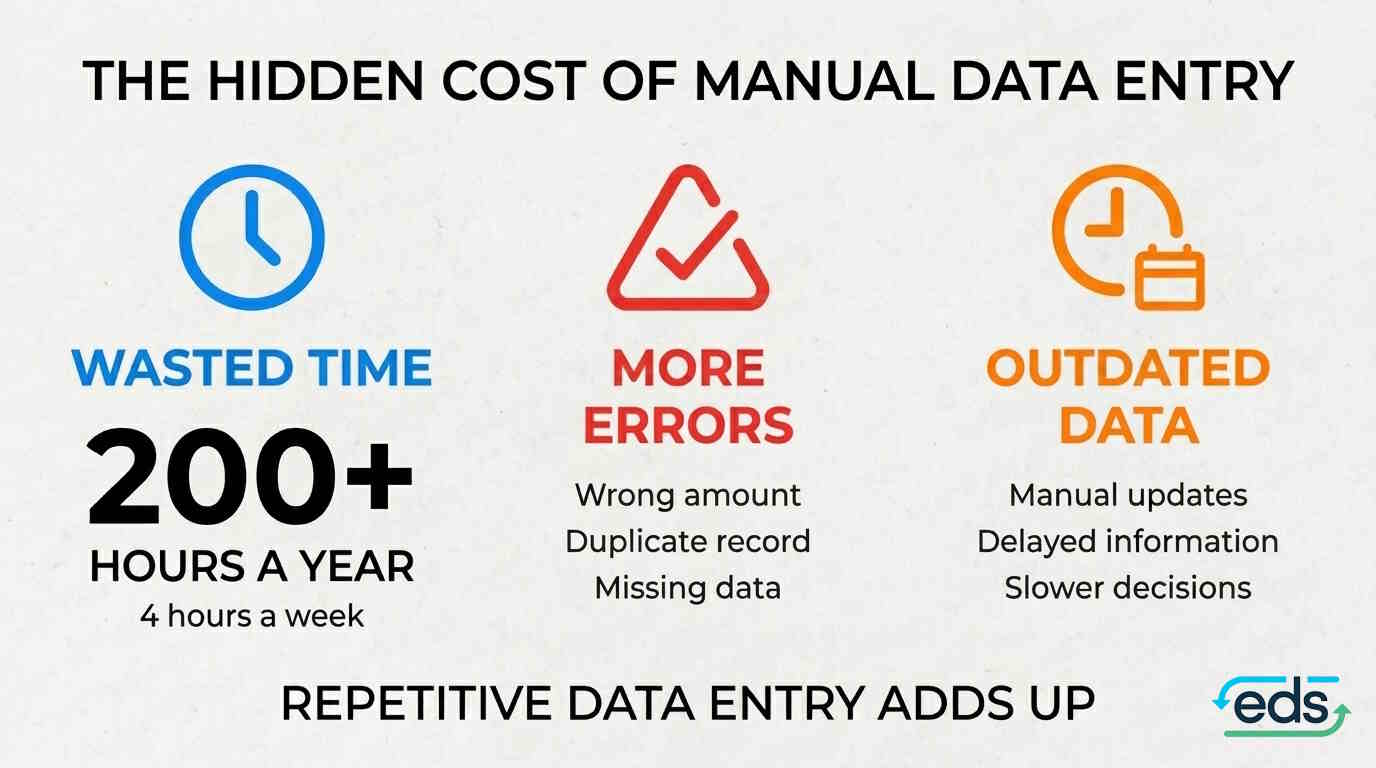
The hidden cost of manual data entry.
Manual data entry isn't simply about copying information from one screen to another. It can also create:
Errors and rework
A small data-entry mistake can lead to additional checking, reconciliation and correction.
Duplicate work
Employees may export information from one system, manipulate it in a spreadsheet and then enter or import it into another system.
Delayed information
If reports depend on someone manually preparing data, important information may not be available when the business needs it.
Employee dependency
Some manual processes are understood by only one or two people. If they are unavailable, someone else has to work out how the process operates.
Data security risks
Those exports often lie around in a Downloads directory, and they may contain sensitive client information.
Client satisfaction
Manual processes take longer and may delay important client-facing processes such as quoting, billing or refunds.
Opportunity cost
Perhaps the biggest cost is what employees aren't doing while they are moving data. A finance employee spending five hours a week on repetitive data processing isn't spending those five hours analysing financial performance, improving reporting, investigating unusual transactions or supporting the wider business.
A simple example.
Imagine a finance employee spends six hours every week:
- Exporting data
- Cleaning spreadsheets
- Formatting information
- Importing data into another system
- Checking the results
- Fixing discrepancies
At an estimated cost of $50 per hour:
6 × $50 × 52 = $15,600 per year
Now add just two hours a week spent correcting errors and reconciling the results. The total becomes:
8 × $50 × 52 = $20,800 per year
What looked like a small administrative task is now consuming more than $20,000 of employee time every year. And as transaction volumes increase, that cost can increase too.
Every week the process runs, the gap grows. By week 52 the error correction alone has added $5,200 to the bill.
When should you automate data entry?
Not every manual task needs to be automated. The strongest candidates usually have several things in common.
The process is repetitive
The same steps happen every day, week or month.
Multiple systems are involved
Employees regularly move information between different applications.
Spreadsheets are part of the process
Data is regularly exported, cleaned, reformatted or combined manually.
Errors are common
Someone has to spend time checking and correcting the results.
The process is growing
More customers, transactions or business entities mean more manual work.
The process takes hours
A task that takes a few minutes occasionally may not justify automation. A task consuming several hours every week is a different story.
What can data entry automation do?
Data automation can replace repetitive manual steps with a process that runs according to predefined rules. Depending on the systems involved, this can include:
- Transferring data between business systems
- Synchronising contacts
- Importing and exporting data automatically
- Combining data from multiple sources
- Transforming data into the format another system requires
- Creating records or transactions automatically
- Running scheduled data processes
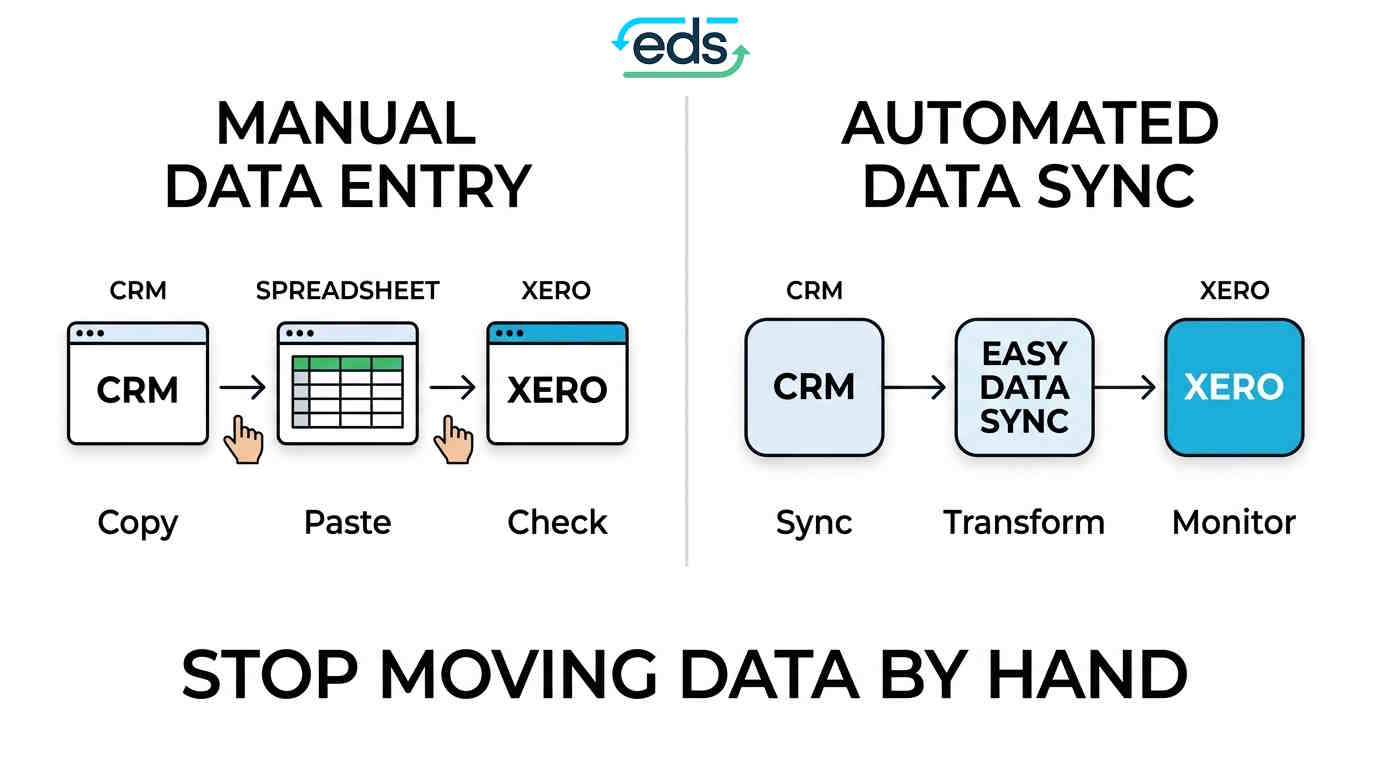
System A → Employee → Spreadsheet → System B
System A → Automated integration → System B
The objective isn't simply to make data move faster. It's to remove unnecessary manual handling from the process.
What if your business systems don't connect?
This is where many businesses get stuck. You may have two systems that each do their job well, but don't communicate with each other in the way your business needs. The usual workaround is to put an employee in the middle. They become the connection between the systems.
Easy Data Sync provides managed data integrations that can transfer, transform and synchronise information between business systems. The integration is built around the specific process rather than requiring your finance team to manually move the information each time.
For businesses using systems such as Xero and MYOB, this can eliminate repetitive imports, exports, spreadsheet manipulation and reconciliation work.
For a walkthrough of what can be automated and how, including systems without an API, see how to stop wasting hours on manual data entry.
Manual data entry vs automation.
The question isn't simply whether automation is cheaper than an employee. It's whether the entire manual process is worth continuing. Consider:
| Manual process | Automated process |
|---|---|
| Employee moves data | Systems exchange data |
| Repeated exports and imports | Automated transfers |
| Spreadsheet manipulation | Defined transformation rules |
| Manual checking | Automated process |
| Dependent on employee availability | Runs according to defined rules |
| Cost increases as workload grows | Can handle increased data volume more efficiently |
Automation won't be appropriate for every process. But when a repetitive workflow consumes hours every week, it's worth calculating the cost before simply accepting it as part of doing business.
How much could your business save?
Start with one manual process. Write down:
- How many hours does it take each week?
- How many employees are involved?
- How much does their time cost?
- How much additional time is spent fixing errors?
- How often does the process happen?
(Weekly hours + hours fixing errors) × hourly cost × 52 = annual labour cost
Count the error-fixing time as part of the saving. Automation removes most of it along with the data entry itself.
If the result is $10,000, $20,000 or $50,000 a year, you have a much clearer basis for deciding whether automation makes financial sense.
Frequently asked questions
How much does manual data entry cost?
The cost depends on the amount of time involved and the cost of the employee's time. For example, five hours per week at $50 per hour represents approximately $13,000 per year.
What is the hidden cost of manual data entry?
The hidden costs can include errors, rework, reconciliation, duplicate work, delayed information, data security risks from exported files, delays to client-facing processes such as quoting and billing, employee dependency and the opportunity cost of employees spending time on repetitive tasks.
Can manual data entry be automated?
Many repetitive data-entry processes can be automated, particularly when they involve predictable steps and multiple business systems.
How do I know if a process should be automated?
Look for repetitive processes that take significant time, involve multiple systems, rely heavily on spreadsheets, create errors or are becoming more expensive as the business grows.
Can Easy Data Sync automate my data process?
Easy Data Sync provides managed integrations designed to transfer, transform and synchronise data between business systems. The first step is to explain your current process and determine whether it can be automated.
The bottom line.
Manual data entry can look like a small administrative expense. But five hours a week can represent $13,000 a year at $50 per hour. Ten hours can represent $26,000. And that doesn't include errors, reconciliation or the opportunity cost of your employees' time.
So instead of asking “How much does data entry cost?”, ask “How much is our entire manual data process costing the business?”
Once you know that number, you can decide whether automation is worth investigating.
Could your manual data process be automated?
Send us what you're doing manually today, which systems are involved and what you'd like to happen instead. Find out whether your process can be automated.