
How to stop wasting hours on manual data entry between business systems.
If someone in your business regularly exports data from one system, cleans it up in Excel, and then enters it into Xero or MYOB, you have a manual data entry problem.
It might only take an hour
a day. It might happen once a week. Or it might take several days at month-end. Either way, the
work adds up. And as your business grows, the problem usually gets worse.
Why businesses still rely on manual data entry.
Most businesses don't choose manual data entry because they want to. It usually happens because their systems don't connect properly. For example:
Your sales or operational system doesn't have a direct Xero integration.
The integration you need is not included in your software plan.
Your system can export CSV files but has no API.
You have multiple Xero organisations that need to share information.
The data coming from one system doesn't match the format Xero or MYOB requires.
Your existing integration doesn't handle the accounting rules you need.
So someone creates a workaround. They export a file. Open a spreadsheet. Change the columns. Check the data. Import it. Then reconcile everything to make sure nothing went wrong.
It works. Until the volume grows.
The real cost of manual data entry.
The obvious cost is employee time. An hour every working day is more than 200 hours a year. But the bigger problem is everything that comes with that manual process: errors that ripple into reconciliation and reporting, and financial data that lags behind what's actually happening in the business.
We've put the full numbers, including a cost table and a worked example, in how much manual data entry costs your business.
What is automated data syncing?
Automated data syncing connects two or more business systems so information can move between them automatically. For example:
Sales system → Easy Data Sync → Xero
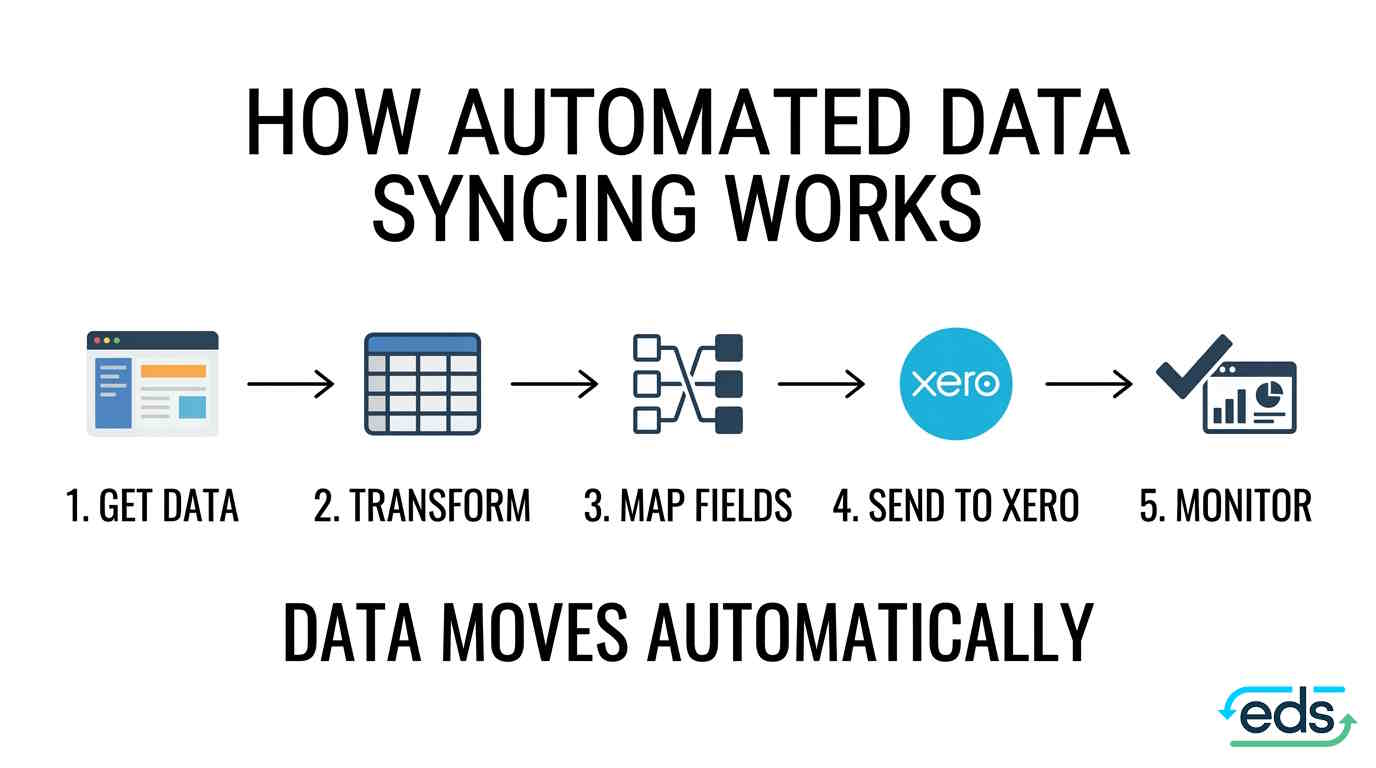
Instead of an employee exporting transactions and entering them into Xero, the integration can:
- Retrieve the data from the source system.
- Transform it into the format Xero requires.
- Apply the appropriate rules and mappings.
- Send the data to Xero.
- Detect duplicates.
- Record what happened.
- Alert you if something goes wrong.
The important part is that this isn't simply a matter of moving data from A to B. Different systems often structure information differently. One system might use a particular tax code, account structure or field name while Xero expects something else. A reliable integration needs to understand those differences and handle them consistently.
Common examples of manual data entry that can be automated.
There isn't one standard integration that works for every business. The right solution depends on the systems you use and what you need the data to do. Some common examples include:
External system → Xero
Your operational software produces transactions, but there is no suitable Xero integration. Instead of manually entering those transactions, an integration can collect the data and send it to Xero automatically.
CSV → Xero
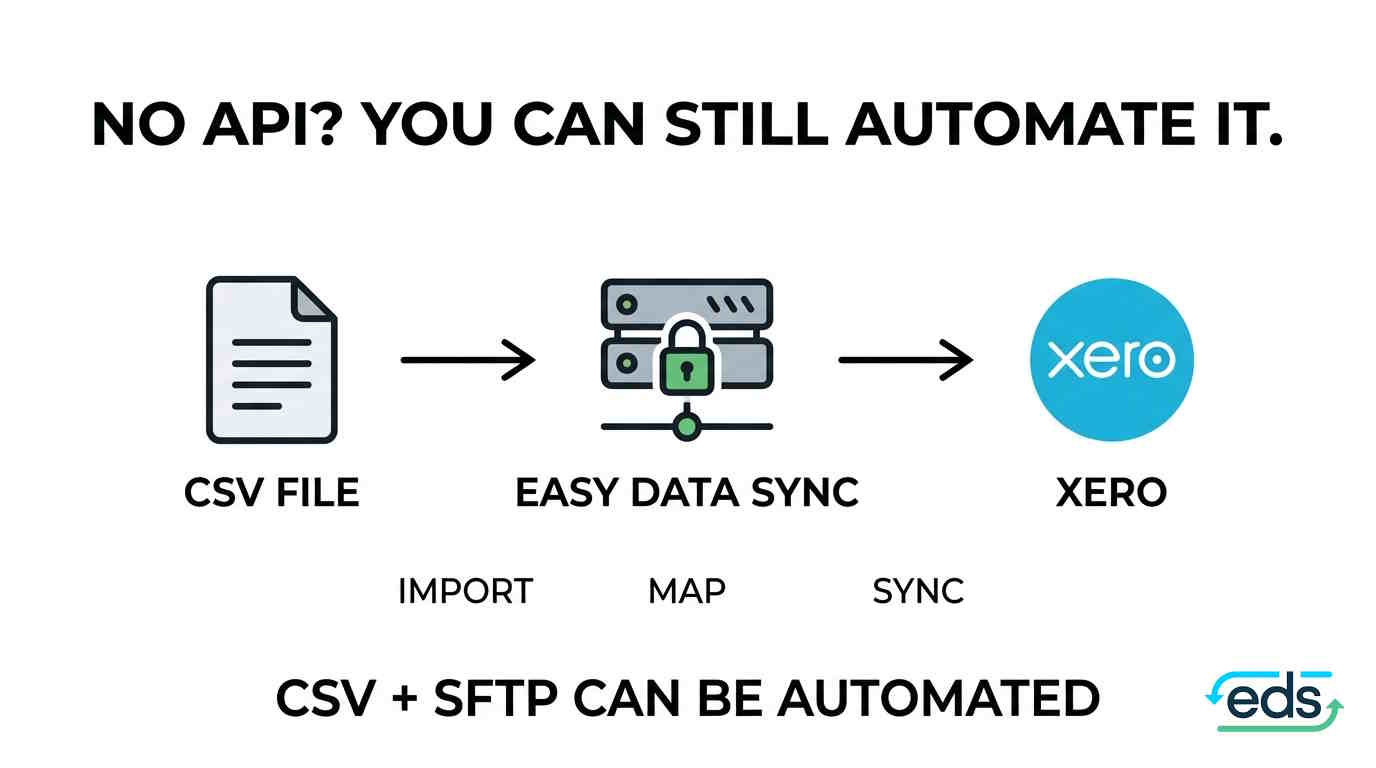
Your system doesn't have an API, but it can produce a CSV export. That can still be automated. A secure file can be uploaded or delivered through SFTP, then picked up automatically, mapped to the Xero structure and processed.
Xero → Xero
Businesses with multiple Xero organisations often have to move information between them manually. An integration can synchronise selected invoices, contacts, bills, payments, journals or other records between Xero organisations according to defined rules.
Multiple Xero organisations → reporting
If your business operates across multiple Xero files, getting a consolidated view can become a monthly spreadsheet exercise. Data can instead be collected from multiple Xero organisations, mapped to a common structure and sent to your reporting or analytics system. That can make group reporting considerably easier.
Three signs you've outgrown manual data entry.
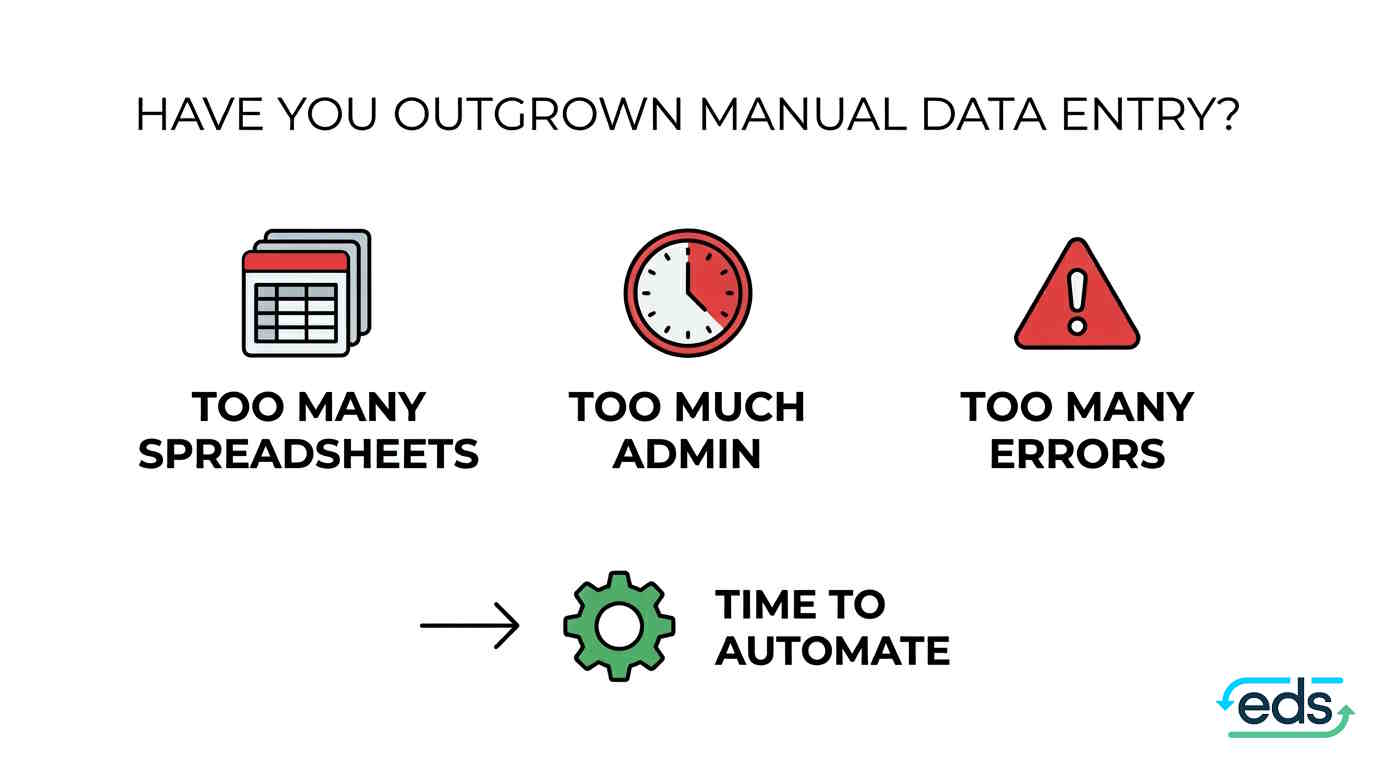
1. Your team spends hours importing and exporting spreadsheets
If someone has a recurring spreadsheet process that exists mainly to move information from one system to another, it's worth asking whether that process should be automated.
2. Month-end depends on one person
If one employee or bookkeeper knows exactly which files to export, which columns to change and which steps to follow, you have a process risk. If they go on leave or leave the business, someone else has to learn the entire process. An automated integration can turn that undocumented knowledge into a repeatable system with logs showing what happened and when.
3. You're regularly fixing data errors
If your team spends time finding duplicated transactions, correcting incorrect amounts or reconciling data that should already match, the manual process may be costing more than it appears.
What if your software doesn't have an API?
This is one of the most common reasons businesses assume automation isn't possible. But an API isn't always required. If your system can produce a structured export such as a CSV file, that may be enough to automate the process. For example:
Your system → CSV/SFTP → Integration → Xero
The integration can pick up the file, validate the data, map the fields and process it automatically. This is particularly useful for older, specialist or custom-built systems that were never designed to integrate directly with accounting software.
Why not just build the integration yourself?
You can. But there is an important difference between getting an integration working and having an integration you can rely on. A production integration needs more than the initial connection. It needs authentication, scheduling, field mapping, error handling, duplicate detection, logging and monitoring. It also needs to keep working when the connected systems change.
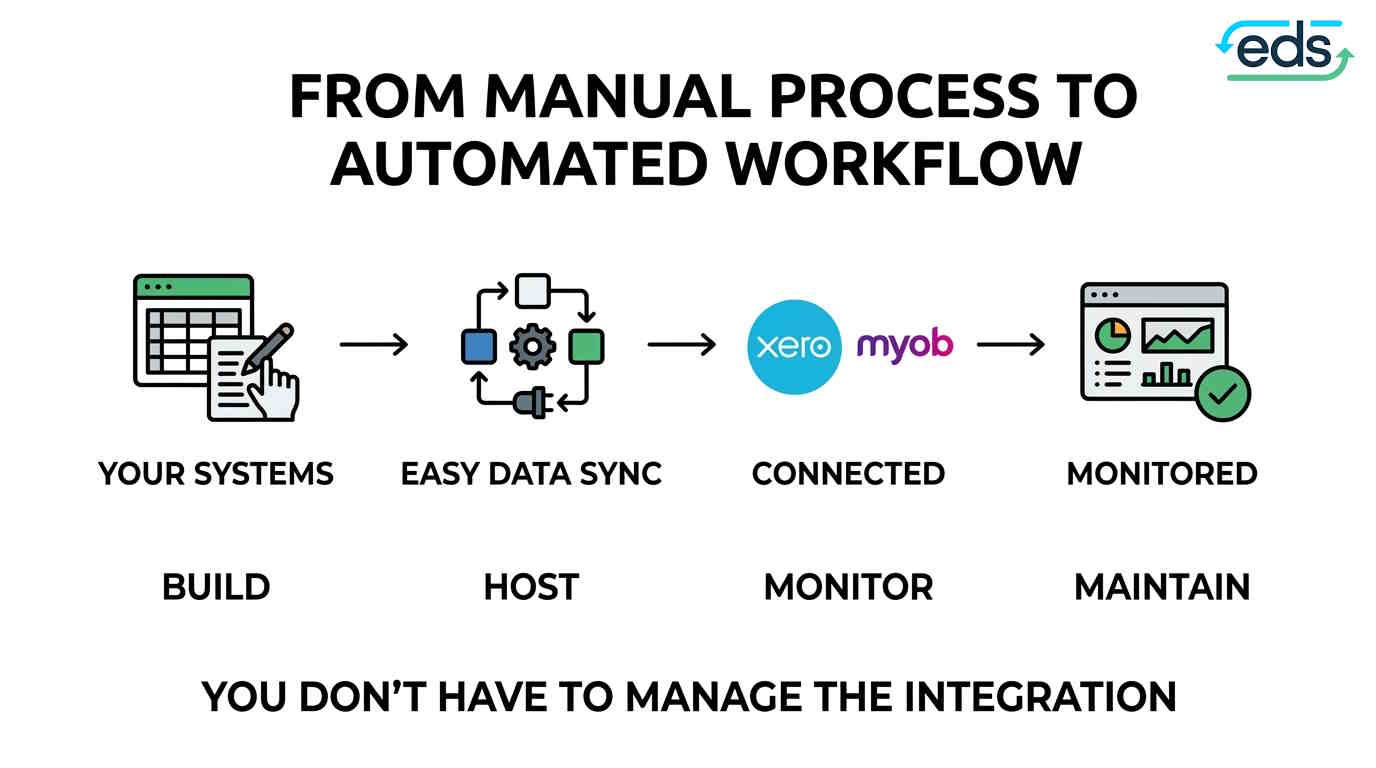
That's why Easy Data Sync takes a managed approach. We build the integration around your requirements, then host, monitor and maintain it for you. You don't have to become the person responsible for another piece of technical infrastructure.
What does a managed data integration look like?
With Easy Data Sync, the process starts with a conversation about what you are trying to achieve. You don't need to explain the technical solution. You can simply say:
“Every week we export these transactions from our system and enter them into Xero.”
We'll work out what is possible and how the process could be automated. If the integration requires custom work, you receive a fixed-price proposal before the build starts. The integration is then built, tested and rolled out carefully.
Once it's live, Easy Data Sync monitors it, handles errors and keeps it running. Every integration also has detailed logs, so you can see what was processed and identify problems when they occur.
The goal isn't to automate everything.
You don't need to connect every application in your business. Start with the process that causes the most pain. Maybe it's:
- CRM → Xero
- POS → Xero
- CSV → Xero
- Xero → Xero
- MYOB → another business system
- A recurring reconciliation process involving several systems
If a person is repeatedly moving the same information between the same systems, that's a good place to investigate automation.
How much time could you save?
The answer depends on your current process. Easy Data Sync customers have replaced processes ranging from several hours a week to several days a month.
About an hour a day
became a one-minute sync
Several hours a week
became a one-minute import
Days every month
became an automated weekday workflow
The important question isn't simply “How much does an integration cost?” It's “How much is the manual process costing us every month?”
Consider the employee time, error correction, reconciliation work and delays involved. Then compare that with the cost of automating the process.
Frequently asked questions
What is manual data entry between business systems?
Manual data entry is the process of moving information from one business system to another by exporting, copying, pasting or manually entering the data. For example, a business might export transactions from one system into a CSV file and then manually import or enter them into Xero or MYOB.
How can I automate manual data entry?
Manual data entry can be automated by connecting the systems that need to exchange information. An integration can retrieve data from one system, transform and map the information, and send it to another system automatically. Depending on the systems involved, this can be done through an API, CSV file, SFTP or another data connection.
Can I automate data entry into Xero?
Yes. Data can be automatically transferred into Xero from other business systems where a suitable integration is possible. This can include transactions, invoices, contacts, payments and other financial data, depending on the systems and requirements involved.
Can I automate CSV imports into Xero?
Yes. CSV-based workflows can be automated in some situations. Instead of manually downloading, cleaning and importing a CSV file, an integration can receive the file, map the data to the required fields and process it into Xero according to predefined rules.
Can you automate Xero without an API?
An API is not always required for automation. If a business system can produce structured files such as CSV files, the data may be able to move through an automated workflow using methods such as SFTP. Whether this is possible depends on the source system, the data format and the required workflow.
Can I connect two Xero organisations?
Yes. It is possible to build integrations that transfer selected data between multiple Xero organisations. This can be useful for businesses that need to synchronise information between entities or automate processes that would otherwise require spreadsheets and manual transfers.
Can I integrate MYOB with another business system?
Yes. MYOB can be integrated with other systems where the required connection and data flow are supported. The integration can be designed around the specific information that needs to move between the systems and the rules that need to be applied. See our MYOB integration page.
What types of data can be synchronised between business
systems?
The data that can be synchronised depends on the systems involved. Common examples include customers, contacts, invoices, bills, transactions, payments, products, account information and other structured business data.
How much time can data integration save?
The amount of time saved depends on the existing manual process and the volume of data being transferred. A process that takes several hours each week can potentially be reduced to a largely automated workflow. Businesses should calculate the total time spent exporting, cleaning, entering, checking and correcting data to understand the potential saving.
Is automated data syncing the same as data migration?
No. Data migration usually involves moving data from one system to another as a one-off project, such as when changing accounting systems. Data syncing is an ongoing process that keeps information moving between systems on a recurring basis.
Is automated data integration reliable?
A properly designed integration can provide a consistent and repeatable way to transfer data between systems. A production integration should also include validation, error handling, duplicate detection, logging and monitoring so problems can be identified and managed.
Do I need a developer to automate my business data?
Not necessarily. Some businesses can use off-the-shelf automation tools. However, when systems require custom field mappings, accounting rules, CSV or SFTP workflows, multiple Xero organisations or ongoing monitoring, a custom managed integration may be more appropriate.
What is a managed data integration?
A managed data integration is a service where the integration is built and operated for the business rather than requiring the business to manage the technology itself. The provider can build, host, monitor, maintain and troubleshoot the integration.
How do I know if my business should automate data entry?
A process is a good candidate for automation when the same data is repeatedly moved between the same systems. Other signs include spending hours on CSV exports and imports, recurring data-entry errors, manual reconciliation work, or relying on one employee to complete a critical data-transfer process.
How does Easy Data Sync help businesses automate data
entry?
Easy Data Sync builds and manages integrations between business systems and accounting platforms such as Xero and MYOB. Depending on the requirements, integrations can use APIs, CSV files, SFTP and other data-transfer methods. Easy Data Sync builds, hosts, monitors and maintains the integration so the business does not have to manage the technical process itself.
Stop moving data by hand.
Manual data entry can be a perfectly reasonable solution when a business is small. But if the same person is still exporting, cleaning, copying and importing data months or years later, it may be time to replace the workaround.
Easy Data Sync builds and manages custom integrations for Xero, MYOB and other business systems. Name the data that needs to move and where it needs to go. We work out the rest.